





Xero Review 2026

Affiliate links · Orin may earn a commission if you sign up through links on this page. It doesn’t affect our assessment. We also offer paid Xero setup.

Top 2 in accounting for SMEs and agencies with real-time bank feeds

Right now, Xero is one of our top 2 choices for accounting and bookkeeping - alongside QuickBooks.

At Orin, our team, partners, and clients are constantly monitoring and testing the best accounting, finance management and bookkeeping tools.

4.3

Gartner

4.4

G2

8.5

TrustRadius

4.4

Capterra

Ratings as of October 2026 · Gartner Peer Insights, G2, TrustRadius, Capterra
What problems can Xero solve for your business?

Manual bookkeeping, delayed reporting, and limited cash flow visibility make daily operations for growing businesses harder than they should be.

Xero is one of the best tools built to solve exactly these accounting and bookkeeping challenges, with automation, clarity, and modern UX at its core.

Cash flow is unclear and decisions are reactive.

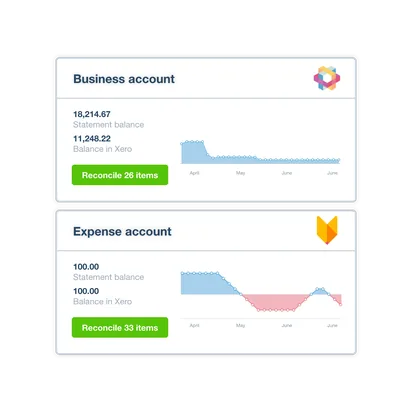
Xero syncs with your bank to update your cash position daily, so you always know where your business stands.

Manual bookkeeping burns valuable hours each week.

JAX, Xero’s AI, captures documents and helps reconcile bank lines, reducing bookkeeping time.

Invoices go unpaid or are sent too late.

Xero lets you automate invoices with reminders, recurring billing, and Stripe or PayPal for faster payments.

Collaboration with your accountant or finance team is ineffective.

No per‑user licence fees, real-time collaboration, and permissions keep your team and advisors aligned.

Tax prep and compliance feel like wasted time.

Xero automates tax, payroll (where supported), and expense tracking - and is HMRC‑recognised for Making Tax Digital for VAT and Income Tax.

Reporting is slow, static, or spreadsheet-based.

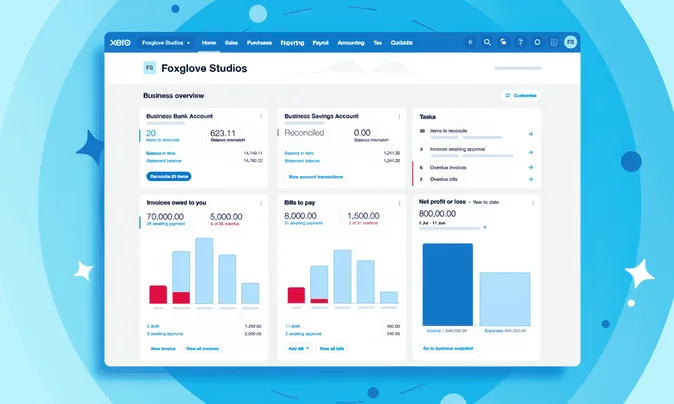
Real-time dashboards and reports track profit, expenses, liabilities, receivables, and more.

Your software feels outdated or too complex.

Built for the cloud, Xero offers a modern, intuitive experience for both business owners and accountants.

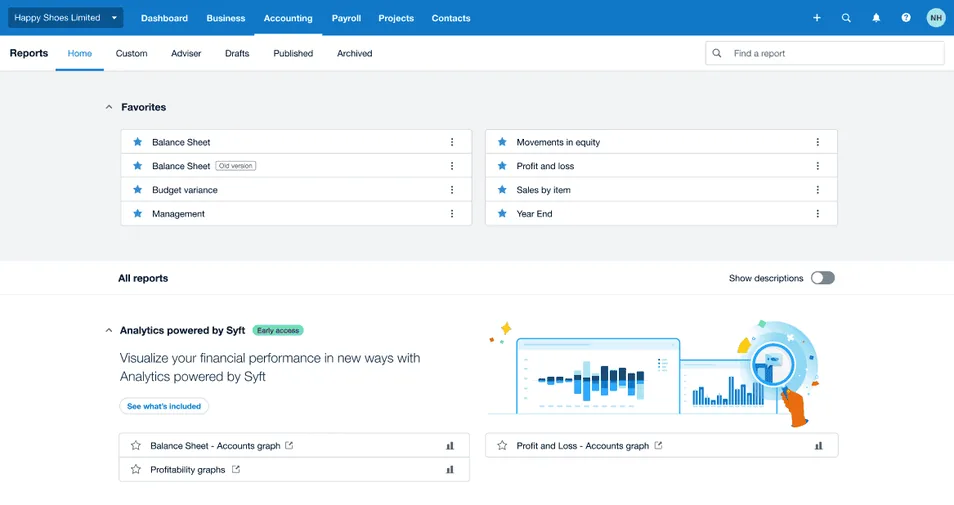
Xero business overview dashboard
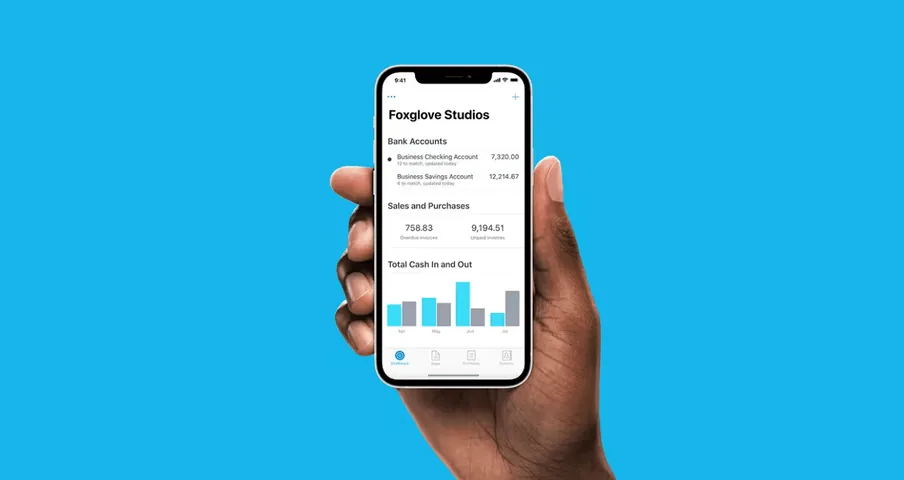
Xero mobile app business overview
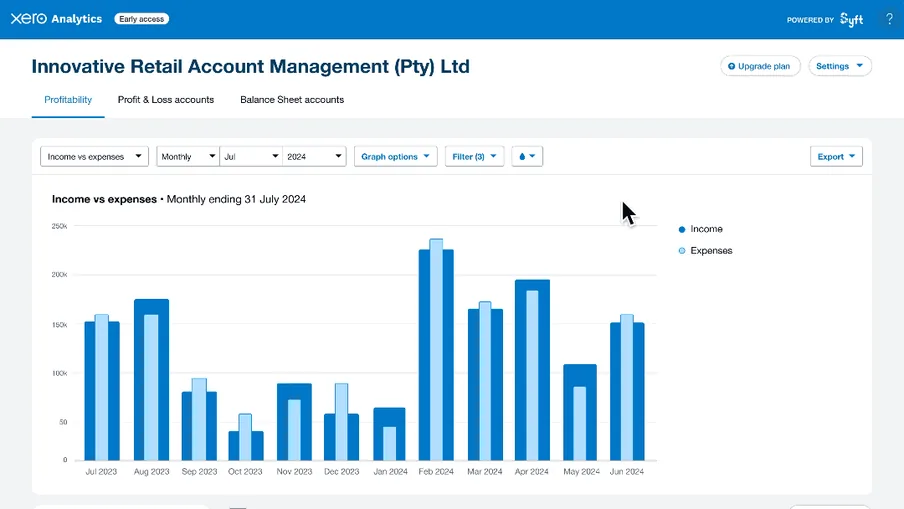
Xero income and expenses report

Xero’s core accounting & bookkeeping features in 2026

Xero is an excellent choice for teams that want intuitive, real-time bookkeeping and automated tools to manage daily finances in one place.

Bank feeds, reconciliation & JAX AI

  • Syncs directly with your bank and credit card accounts.

  • JAX, Xero’s AI, suggests matches and captures bills and receipts.

  • Bill Protection (coming soon) will flag altered bank details or unfamiliar suppliers.

App integrations & ecosystem

  • Over 1,000 app integrations including Dext, Gusto, Shopify, HubSpot, and more.

  • Automate payroll, inventory, CRM, and expense management.

  • Build a lean, automated finance stack.

Invoicing & accounts receivable

  • Customisable, professional invoices with your branding.

  • Automated reminders and recurring invoices.

  • Accept online payments via Stripe, PayPal, Square, and more.

Users, advisors & payroll

  • Invite your accountant, bookkeeper or finance team with role‑based access.

  • No per‑user licence fees (expenses and projects are billed per active user; payroll per person paid).

  • UK payroll on all plans (people included from Grow); US: Xero Payroll, powered by Gusto (add‑on).

Accounts payable & bill tracking

  • Upload or email bills directly into Xero.

  • Schedule payments, track due dates, and avoid late fees.

  • Batch payments (UK); pay bills by transfer or card inside Xero (US, via Melio).

Multi-currency & international compliance

  • Automatic FX rates (Comprehensive/Ultimate in the UK, Established in the US).

  • VAT/GST support for UK, EU, Australia, NZ, etc.

  • HMRC‑recognised for MTD for VAT and Income Tax; Xero Simple (£7) for sole traders and landlords.

Financial reporting & dashboards

  • Real-time cash flow, P&L, balance sheet, aged receivables/payables.

  • Shareable, accountant-ready reports.

  • Drill-down features for fast audits and tax prep.

When Xero may not be ideal

  • Enterprises with complex, multi-entity structures often prefer Intuit Enterprise Suite, Sage, or other mid-market ERPs for built-in consolidation, reporting, and asset management (Xero Ultra, a new top tier with Syft multi‑entity reporting, is in UK early access).

  • Inventory-heavy or manufacturing businesses may outgrow Xero’s stock tools and need add-ons or platforms such as Sage for advanced features like multi-warehouse tracking or assembly management.

Xero vs. QuickBooks - What each platform does best

Where Xero is better than QuickBooks:

  • Real-time bank feeds & reconciliation: Xero’s auto‑matching and reconciliation process is faster and more intuitive - especially for non‑accountants.

  • No per‑user licence fees: Xero doesn’t charge per seat for core accounting; each QuickBooks plan caps users (1, 3, 5 or 25).

  • UI / ease of use: Built cloud‑native, Xero has a clean, modern UI.

  • Third-party integrations: Xero’s open API and large marketplace (1,000+ apps) make it ideal for building automated finance stacks.

  • Multi-currency (premium tier): Global businesses prefer Xero for flexible multi‑currency support and international transactions.

Where QuickBooks is better than Xero:

  • Payroll depth (US): QuickBooks Workforce adds HR, hiring and benefits to full‑service payroll; Xero Payroll (powered by Gusto) is newer and payroll‑only.

  • Advanced inventory management: QuickBooks includes robust inventory management out of the box; Xero’s inventory is more basic without add‑ons.

  • Job/project costing: Detailed job tracking preferred by trades, construction, and project‑heavy service businesses.

  • US tax filing & local compliance: Built‑in tools for 1099s, W‑2s, and sales‑tax automation give QuickBooks an edge for US compliance.

  • AI agents: QuickBooks’ AI agents are live in the UK and US; parts of Xero’s JAX are still rolling out.

Who should choose Xero or QuickBooks?

Choose Xero if you:

  • Run a modern, cloud‑based business (startup, agency, e‑commerce, SaaS, services).

  • Want to automate bookkeeping with reliable bank feeds.

  • Work with external accountants or remote teams who need live access.

  • Need strong multi‑currency support or operate internationally across multiple tax jurisdictions.

  • Prefer a clean UI, real‑time dashboards, and integration with a large marketplace of third‑party apps (Stripe, Shopify, Dext, etc.).

  • Xero is ideal for digital-first SMEs, tech-savvy founders, and businesses scaling across borders.

Choose QuickBooks if you:

  • Operate in the UK or US and need tightly integrated payroll, tax, and compliance features.

  • Are a freelancer, consultant, or small service firm looking for fast invoicing and easy expense tracking.

  • Need strong project/job costing tools, advanced inventory, and built‑in mileage tracking.

  • Prefer extensive local support resources and a large community of ProAdvisors.

  • QuickBooks is best for US-based businesses, freelancers, or service firms that want strong tax handling and broad features.

Pro tips for your Xero rollout

Using Xero can be a major upgrade, but a smooth rollout takes some planning:

  • Connecting bank feeds & managing reconciliation.

  • Setting up VAT and Making Tax Digital correctly (UK compliance).

  • Integrating e-commerce channels (Shopify, Amazon, PayPal).

  • Aligning payroll with your accounts.

  • Migrating clean data from spreadsheets or old software.

What to do:

  • Add your relevant team members with advisor-level access so everyone works from the same, up-to-date figures.

  • Build a joint, step-by-step implementation checklist.

  • Test, review, and lock each stage with your team.

  • Before going live, reconcile a week’s worth of bank transactions, validate VAT codes, run a dummy payroll and compare balances.

Need help implementing Xero the right way?

At Orin, we help you design your Xero setup, integrate it with your workflows and tools, and align your reporting with what your team and leadership care about.

Setting up Xero is simple - but building a finance stack that supports your business model, reporting needs, and growth plans takes more than clicking “connect”.

Talk to our team → Book a quick call and we’ll get your Xero system up and running the smart way.

Book a quick consultation!

What are the next steps?

  1. 1

    Fill out the form to share your project details with us.

  2. 2

    One of our experts will contact you immediately.

  3. 3

    We'll review your questions and project details together.

  4. 4

    We’ll prepare a quick project calculation or comprehensive proposal for your team.

You can write us a message directly to

hello@oringroup.co.uk

Fill out the form or send us an email. We’ll respond within 24 hours.

Your personal data is protected.