






Zapier Review 2026

The leading no‑code automation platform for B2B sales & marketing workflows

Right now, Zapier tops our shortlist for B2B automation tools - alongside Make.com and n8n.

At Orin, we continuously test integrators; Zapier still shines when you need the largest app ecosystem, the simplest UI, and instant time‑to‑value across RevOps, Marketing and Customer Success.

4.6

Gartner

4.5

G2

8.9

TrustRadius

4.7

Capterra

Ratings as of October 2026 · Gartner Peer Insights, G2, TrustRadius, Capterra
What problems can Zapier solve for your business?

Many B2B sales and marketing teams still hop between CRM, email, chat and spreadsheets, wasting hours and dropping hand-offs in the cracks.

Zapier acts as the wiring behind your stack, letting you knit 9,000+ apps together with drag-and-drop logic instead of custom code. Busywork disappears and deals, tickets, or campaigns move through your pipeline automatically.

Disconnected GTM stack slows hand‑offs.

9,000+ connectors pipe data between Salesforce, HubSpot, Gong, Pipedrive, Brevo, Klaviyo, etc. - no code.

Team members waste hours on admin clicks.

Two‑way triggers auto-log leads, meetings, tasks & Customer Success tickets so teams focus on conversations, not copy‑paste.

Operations can’t iterate fast enough.

Drag‑and‑drop editor, Copilot and ready‑made templates launch new automations in minutes; version history rolls back errors.

Forecasting & alerts are reactive.

Filters, Paths & AI steps fire real‑time Slack / email alerts when deals stall or NPS turns risky.

New AI tools feel out of reach.

Copilot and AI steps let non‑devs summarise calls, draft emails or classify sentiment inside any Zap.

Lead nurturing delays hurt conversion rates.

Webhooks & multi‑step Zaps push every form fill or demo request into your CRM / marketing platform, triggering personalised drip sequences.

Campaign attribution is messy across ad, analytics & CRM tools.

Zapier syncs UTM parameters and ad IDs to your CRM and Sheets for clear ROI dashboards with zero manual exports.

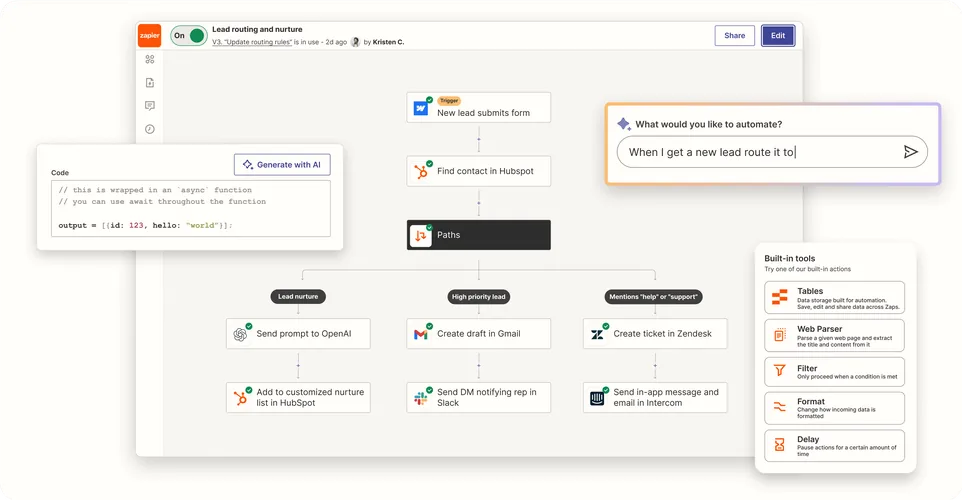
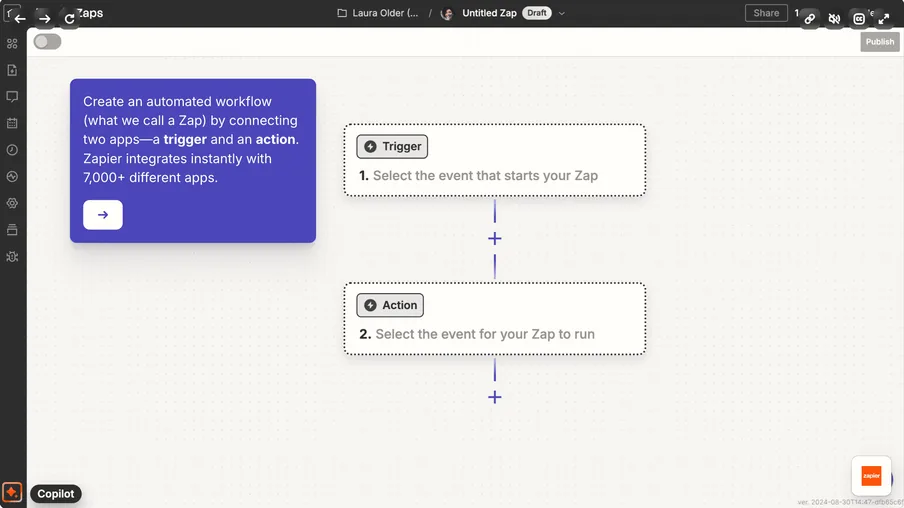
Zapier editor with a trigger and an action
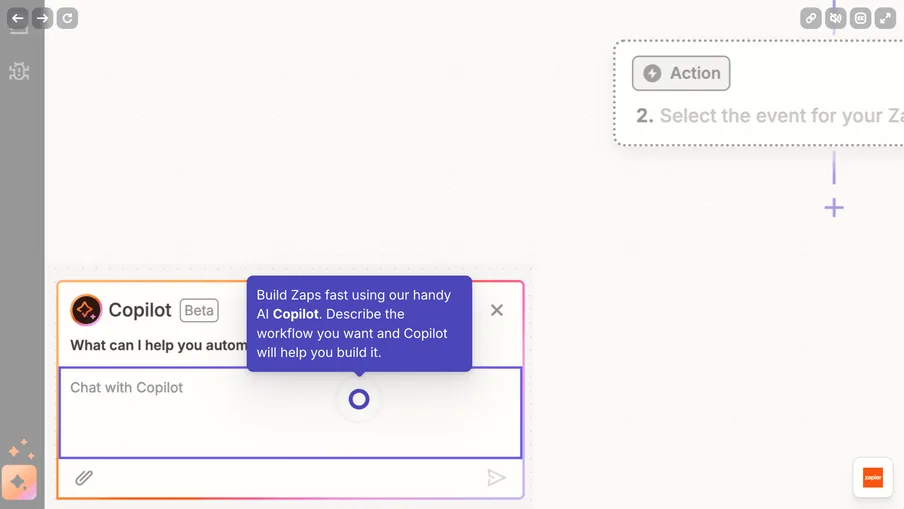
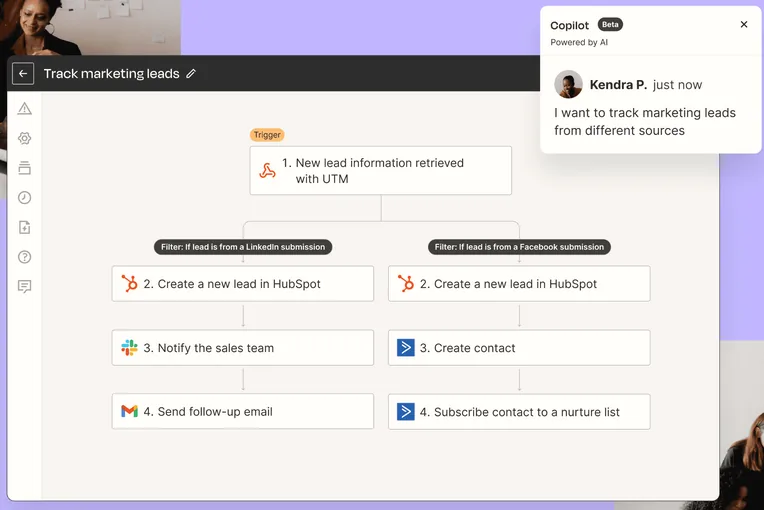
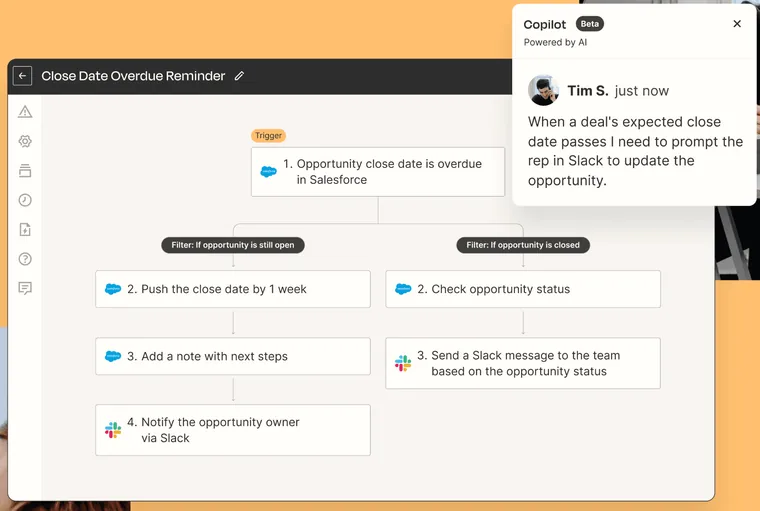
Zapier Copilot building a Zap
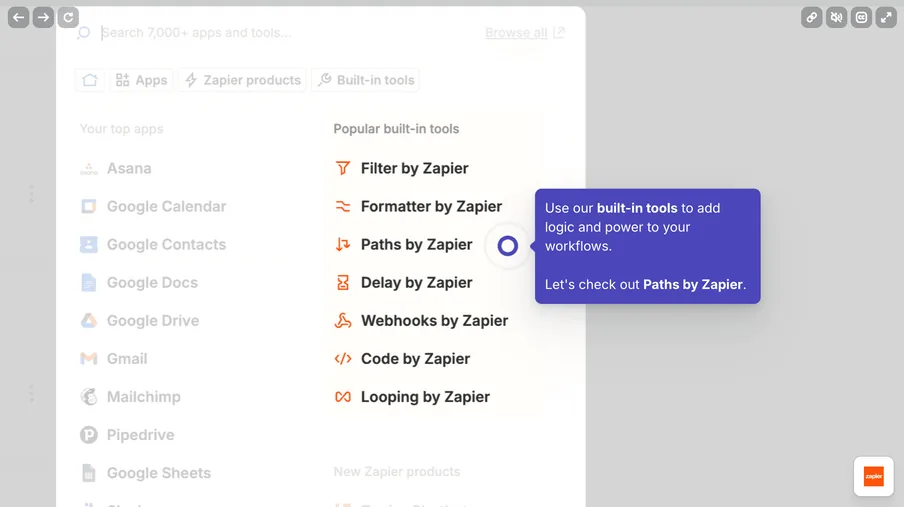
Zapier built-in tools
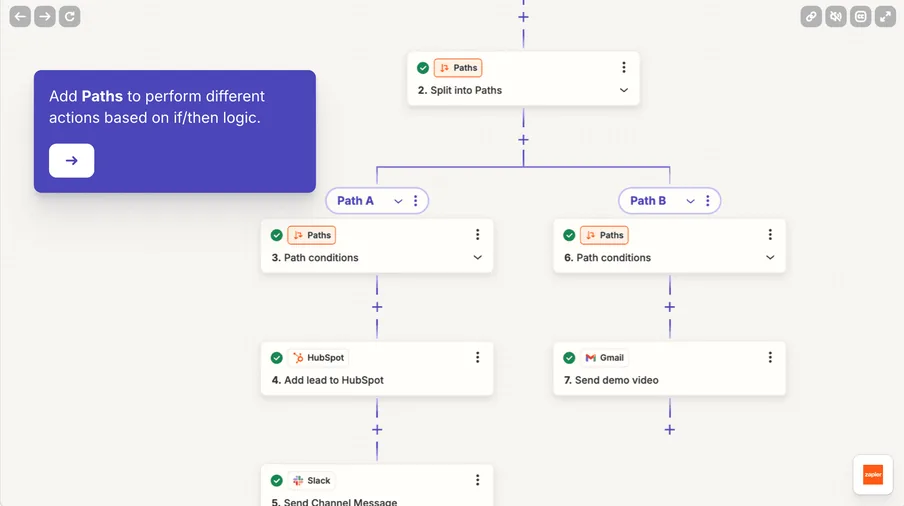
Zapier Paths for conditional logic
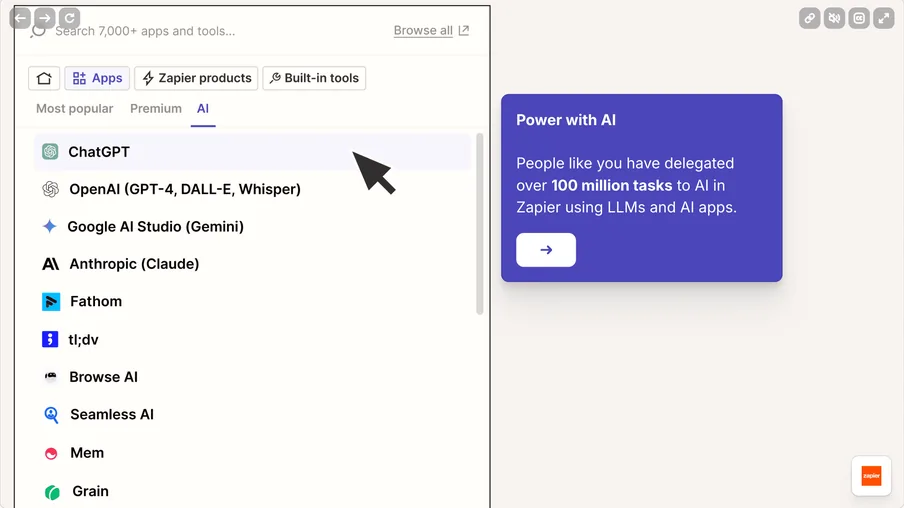
Zapier AI app integrations
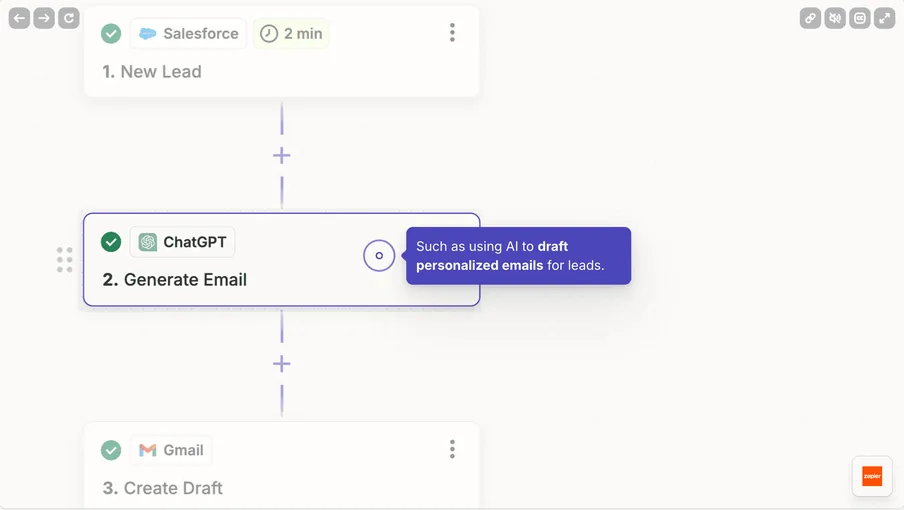
Zapier step using ChatGPT to draft an email
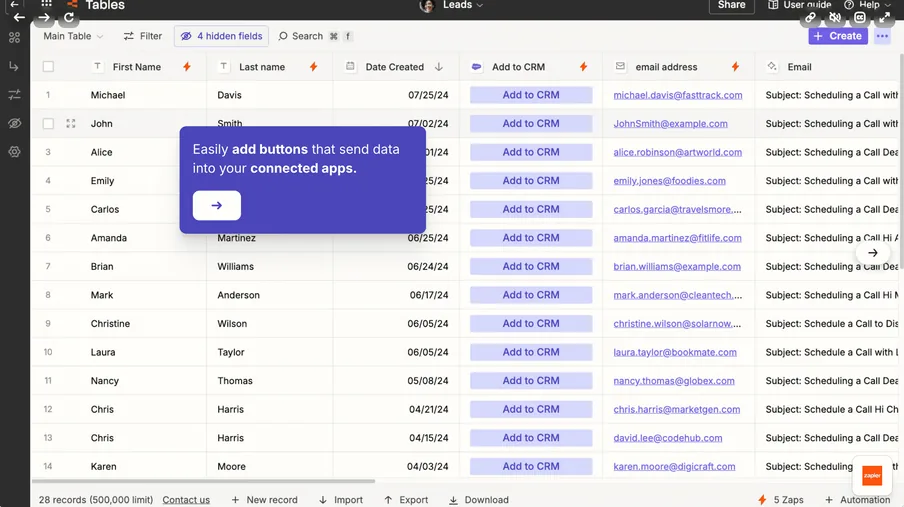
Zapier Tables with lead records

Zapier’s core features in 2026

Zapier is an ideal choice for teams that want real‑time automations across their entire GTM stack - connecting sales, marketing and customer‑success tools.

App ecosystem & templates

  • 9,000+ apps: CRM, MAP, CS, data & AI tools.

  • Ready‑made templates covering RevOps, marketing & CS flows.

  • Webhooks & REST hooks for any API.

Teams & governance

  • Shared folders, SAML SSO, audit logs and versioning.

  • Usage analytics & task‑spike alerts (Enterprise).

  • AI Guardrails detect personal data and prompt injection so Zaps can block them.

Multi‑step Zaps (core automation engine)

  • Up to 100 steps per Zap, branching Paths, Delays & Schedules.

  • Filters, Formatter, Code (JS/Python) & AI steps.

  • Next Gen Zaps (early access): nested loops and better error handling.

AI‑assisted automation

  • Copilot (beta) builds Zaps from plain‑English prompts; AI steps summarise, classify and draft.

  • Zapier Agents act across your apps (priced separately).

  • Zapier MCP lets Claude, ChatGPT and Cursor run Zapier actions (2 tasks per call).

Zapier Tables (lightweight database)

  • Structured storage: relational tables for leads, tickets, deal data.

  • Record triggers fire Zaps instantly.

  • Formulas, linked records, CSV import, button triggers.

Developer & partner platform

  • Platform CLI + visual builder for private/public connectors.

  • Partner API to embed “Zapier-inside” your SaaS.

  • Environment variables & secret management.

Zapier Forms (formerly Interfaces) & Canvas

  • Forms collect leads, requests and tickets and trigger Zaps.

  • Forms and Tables are included on every plan.

  • Canvas maps processes visually.

When Zapier may not be ideal

  • Mass‑data syncs / ETL jobs → consider Make or Tray.

  • Strict on‑prem compliance → check n8n or Boomi.

  • Heavy data transformations → check Make or n8n.

Zapier vs. Make.com vs. n8n - What each platform does best

Where Zapier beats Make & n8n:

  • App ecosystem: 9,000+ apps cover virtually every sales, marketing and customer success tool.

  • Ease of use / onboarding: Linear step‑builder, Copilot & ready‑made templates let non‑tech users publish a workflow in <10 min.

  • Built‑in AI: Copilot, AI steps, Agents and MCP work across 9,000+ apps - no extra keys or code.

  • Community & docs: Massive forum & template library speed troubleshooting.

  • Zero hosting overhead: Fully managed cloud (n8n self‑host demands DevOps).

Where Make.com & n8n beat Zapier:

  • Advanced logic & error control: Make offers loops & error routes; n8n allows full code & async branches.

  • High‑volume pricing: Make’s credit‑based tiers & n8n self‑hosting cost far less than Zapier tasks at scale.

  • Data transformations: Both rivals handle arrays / nested JSON natively; Zapier needs Code steps.

  • Data sovereignty: n8n on‑prem keeps data in‑house for GDPR / HIPAA.

  • Bulk processing: Make & n8n loop thousands of records efficiently; Zapier throttles or drains tasks.

Who should choose Zapier, Make.com, or n8n?

Choose Zapier if you:

  • Want the fastest way to connect any two GTM apps - no devs, no servers.

  • Need 9,000+ apps for long‑tail tools (Clay, Funnel.io, Apollo, etc.).

  • Prefer built‑in AI and a huge template library for rapid prototyping.

  • Value managed hosting and minimal upkeep.

  • Zapier is ideal for lean RevOps, marketing, and CS teams that want instant, hassle‑free automation across their tech stack.

Choose Make.com or n8n if you:

  • Need visual flow‑chart logic, loops and granular error handling.

  • Run high‑volume workflows where Zapier task costs explode.

  • Require self‑hosting (n8n) or private‑network access (Make Enterprise) for strict compliance.

  • Have dev resources to embed custom code & niche APIs.

  • Make.com and n8n are ideal for operations / data teams that need powerful automations with control over complex data flows.

Pro tips for your Zapier launch

Complete the groundwork before you automate:

  • Map GTM data flow & owners.

  • Standardise CRM fields & stages.

  • Create naming/ownership rules for Zaps & connections.

  • Estimate daily task volume to pick the right plan.

  • Secure credentials & set quarterly rotations.

Run your first automations like a pro:

  • Ship a lead‑capture → CRM → Slack alert Zap.

  • Add Filters/Paths to route by region/score.

  • Insert AI steps for summarising or enriching data.

  • Configure error alerts on every Zap.

  • Audit Zap history weekly; retire unused flows.

Need help implementing Zapier the right way?

Zapier’s plug‑and‑play power goes further with clean data, smart error handling, and cost‑efficient design.

Our team at Orin architects Zaps, builds governance, and trains your operations and RevOps teams so every automation drives measurable ROI.

Talk to our team → Book a quick call and we’ll have your Zapier stack live and integrated within days.

Book a quick consultation!

What are the next steps?

  1. 1

    Fill out the form to share your project details with us.

  2. 2

    One of our experts will contact you immediately.

  3. 3

    We'll review your questions and project details together.

  4. 4

    We’ll prepare a quick project calculation or comprehensive proposal for your team.

You can write us a message directly to

hello@oringroup.co.uk

Fill out the form or send us an email. We’ll respond within 24 hours.

Your personal data is protected.