





QuickBooks Review 2026

Top 2 in accounting for US and UK-based SMEs with integrated payroll

Right now, QuickBooks is one of our top 2 choices for accounting and bookkeeping - alongside Xero.

At Orin, our team, partners, and clients are constantly monitoring and testing the best accounting and bookkeeping tools.

QuickBooks remains a strong performer for businesses that want integrated payroll, tax compliance, and practical tools for managing day-to-day finances in one place.

Zapier
Premium App

4.2

Gartner

8.1

TrustRadius

4.0

G2

4.3

Capterra

Ratings as of October 2026 · Gartner Peer Insights, TrustRadius, G2, Capterra
What problems can QuickBooks actually solve for your business?

As businesses grow, so does the complexity of managing their finances. What starts as a simple system quickly becomes a patchwork of tools - one for payroll, another for invoicing, something else for tax prep.

By combining your essential financial functions - payroll, invoicing, tax compliance, and reporting - into one connected platform, QuickBooks replaces clutter with clarity.

Manual bookkeeping burns valuable hours each week.

QuickBooks’ Accounting AI agent categorises bank transactions, learns your rules, and the mobile app scans your receipts.

Unclear and complex cash flow reports make planning difficult.

QuickBooks syncs with your bank accounts automatically and offers a cash flow planner to forecast your cash flow months ahead.

Late or missed invoices slow down payments.

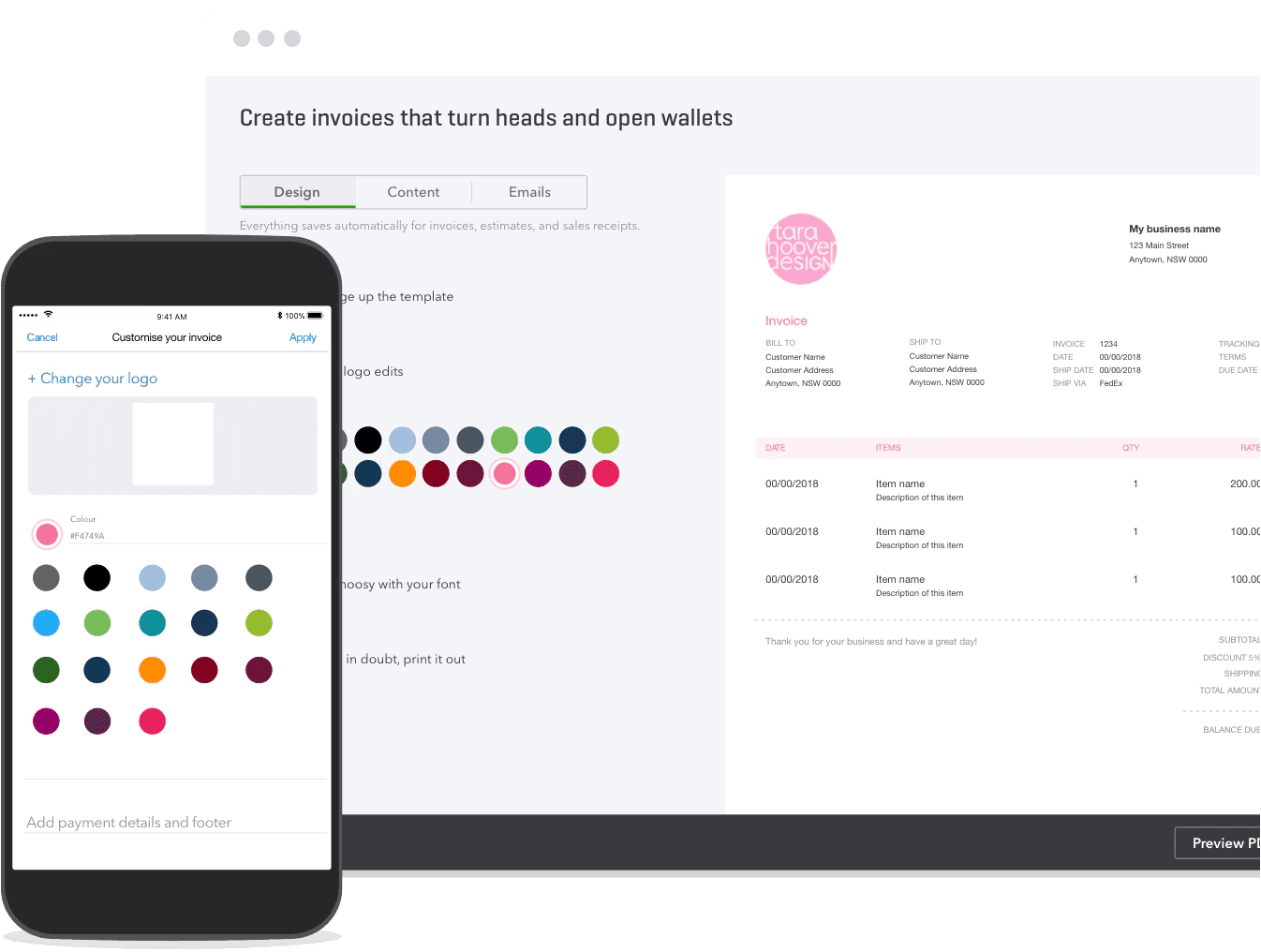
Create and send invoices in minutes, set reminders, and let customers pay instantly via credit card, bank transfer or Apple Pay.

Tax deadlines create stress and confusion.

QuickBooks tracks sales tax and VAT, files UK VAT and Making Tax Digital for Income Tax updates, and handles 1099s and W-2s for US users.

Payroll is time-consuming and error-prone.

QuickBooks Workforce (US payroll) automates paycheck calculations, tax filings, direct deposits, and W-2 and 1099 forms; in the UK, payroll is an add‑on.

Tracking job costs and profitability is unclear.

Tag income and expenses to specific jobs, assign labour costs, and track profitability in real time.

Disjointed tools slow down financial workflows.

QuickBooks centralises all your financial operations: bookkeeping, invoicing, payroll, taxes, and reporting.

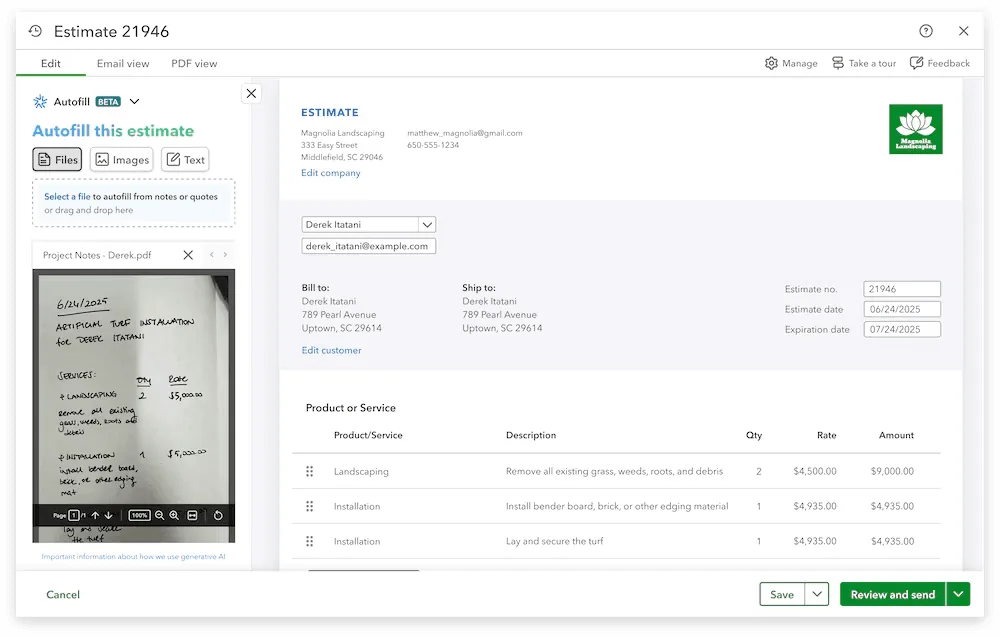
QuickBooks invoice designer on desktop and mobile
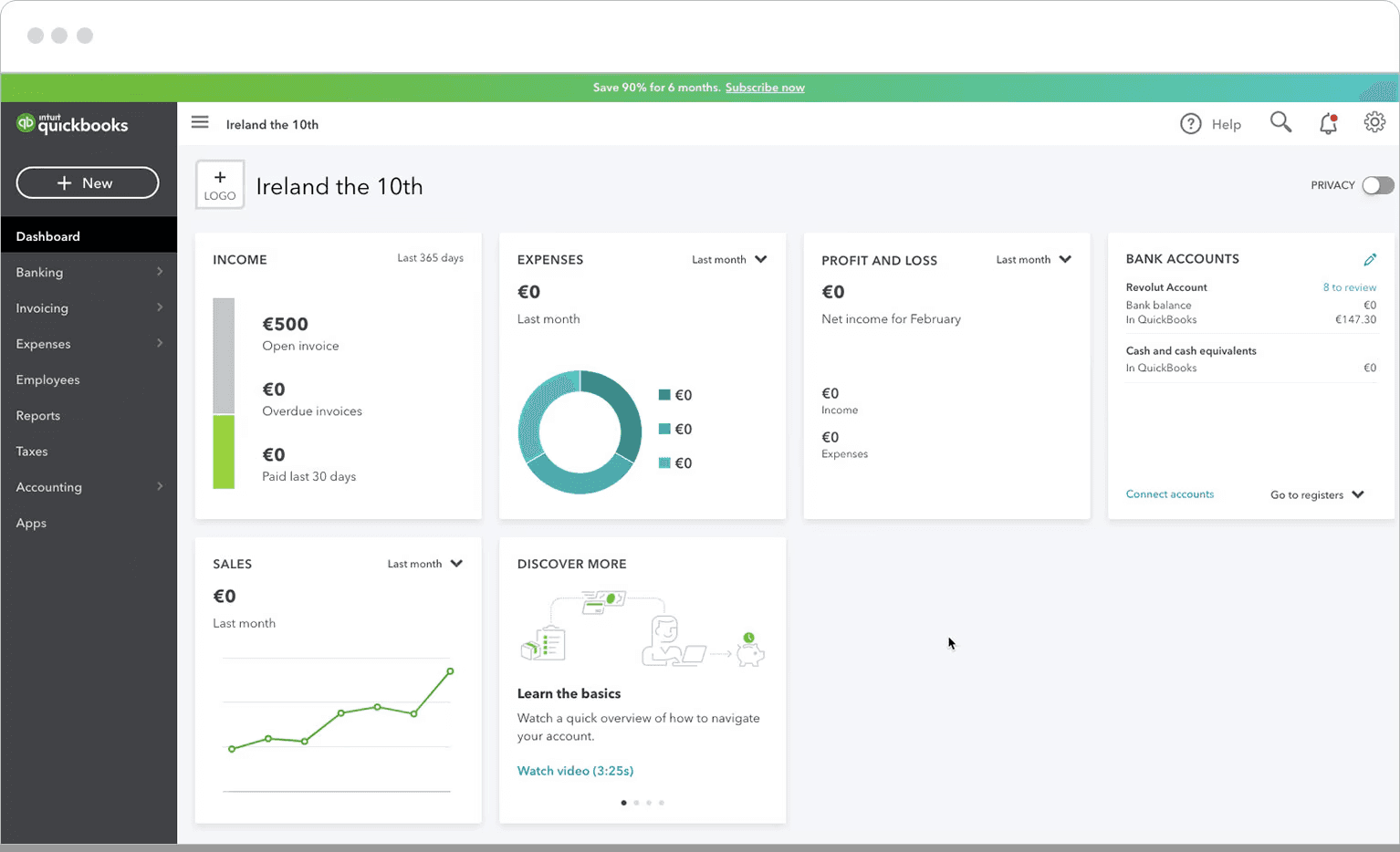
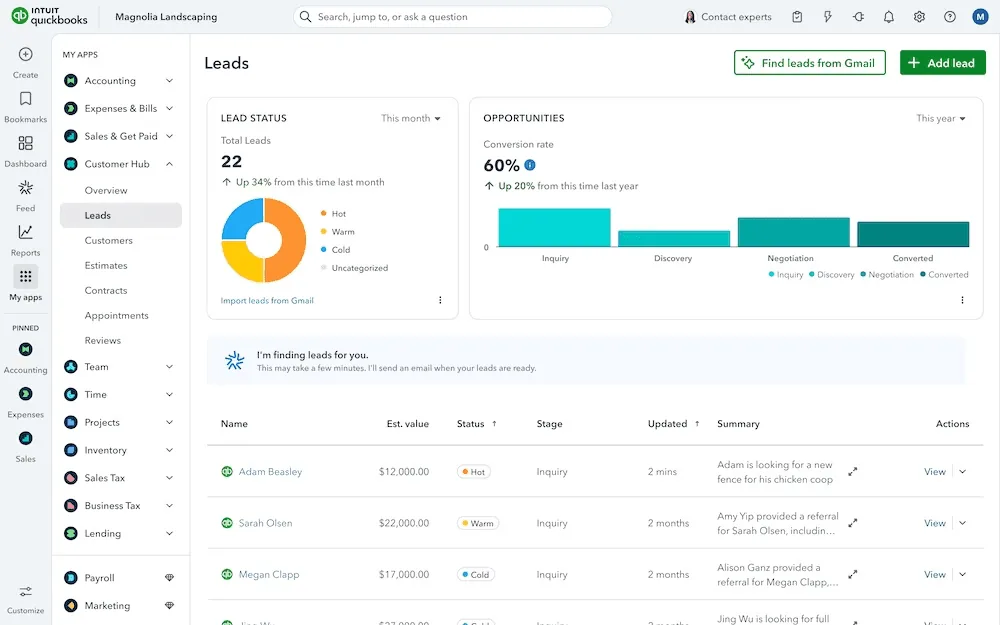
QuickBooks business dashboard
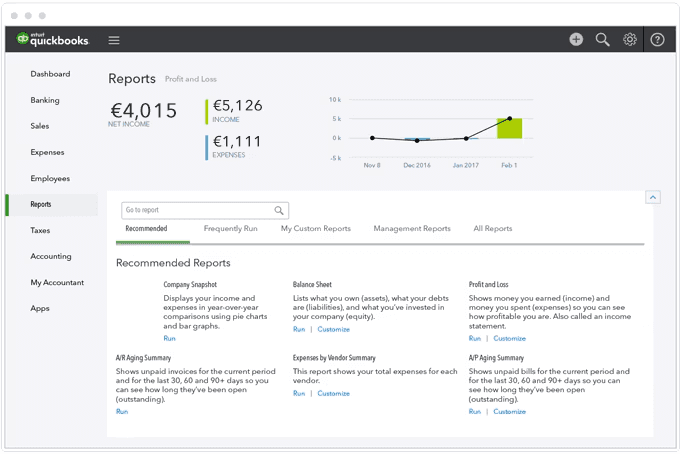
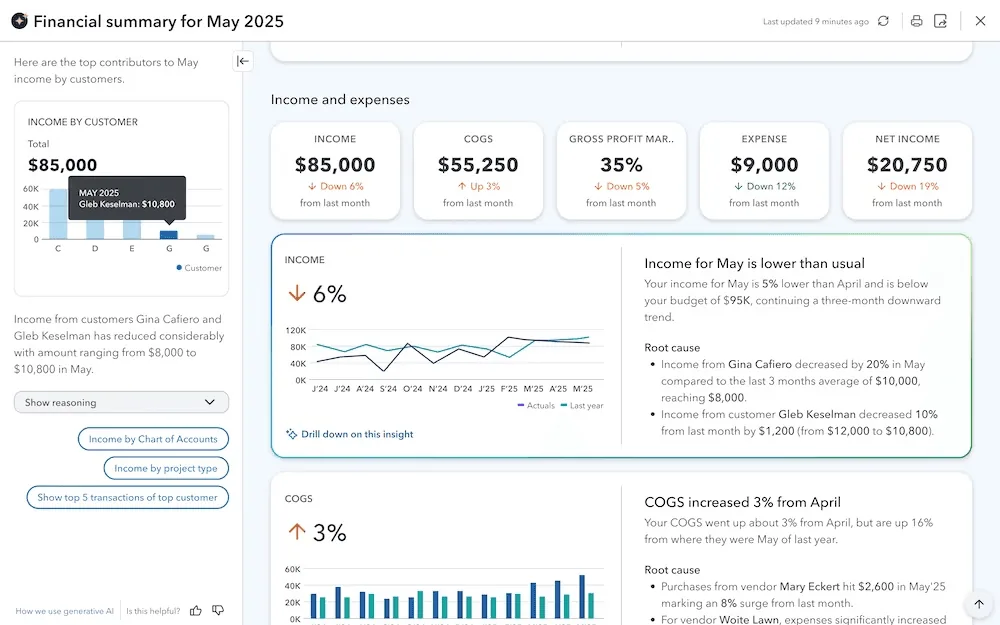
QuickBooks reports overview
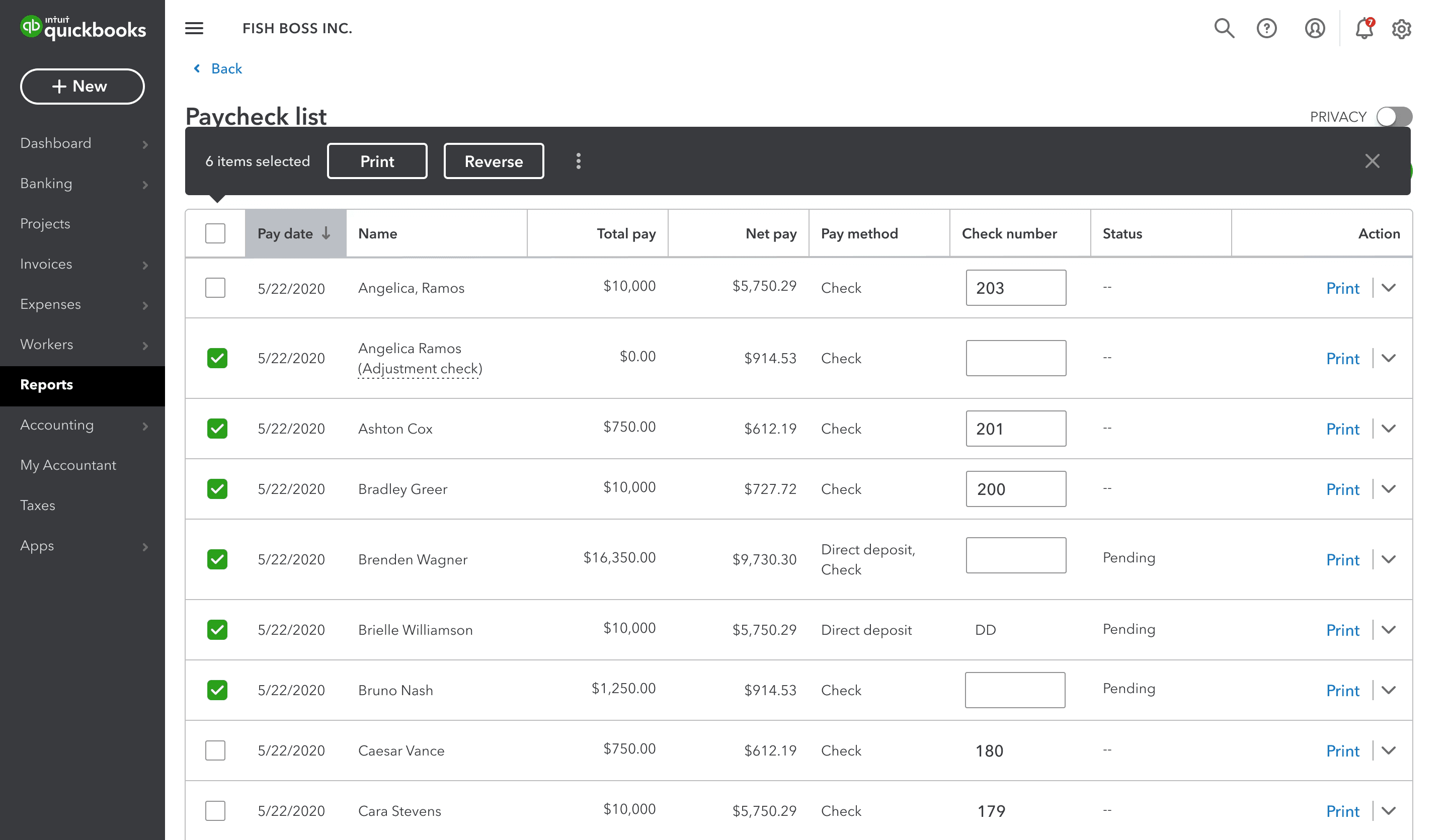
QuickBooks payroll check list

QuickBooks’ core accounting & bookkeeping features in 2026

QuickBooks’ powerful systems allow modern SME teams to move faster, stay compliant, and keep cash flow front and centre without the extra overhead.

Payroll (QuickBooks Workforce in the US)

  • Automated payroll with federal, state, and local tax filings.

  • Supports W-2 employees and 1099 contractors.

  • Auto-syncs direct deposit, tax payments, and payroll expenses; UK payroll is a paid add‑on.

Tax compliance & Making Tax Digital

  • Auto-calculates sales tax on invoices by location; easy 1099 e‑filing (US).

  • MTD‑compatible VAT filing and MTD for Income Tax (UK, incl. Sole Trader Plus).

  • Tax-ready reports and built-in accountant tools.

Invoicing & accounts receivable

  • Create branded invoices and send via email or link.

  • Recurring invoices and overdue reminders run on autopilot.

  • Accept payments online (card, ACH, PayPal, Apple Pay).

App integrations & ecosystem

  • 800+ apps (Shopify, Amazon, Stripe, etc.).

  • Sync with e-commerce, CRM, inventory, and time tracking.

  • Use Zapier/API for custom integrations and workflow automation.

AI agents (Intuit)

  • Accounting, Customer, Finance and Project Management agents (Finance and PM on Advanced).

  • US: Payments, Sales Tax and Business Tax agents; UK: VAT AI checks returns before filing.

Cash-flow & reporting dashboards

  • Cash-flow planner: month-by-month inflow vs. outflow forecast.

  • Dashboards: auto-updated charts for profit, A/R, expense spikes.

  • Custom management packs: bundle P&L, balance sheet, cash forecast into one export for investors or boards.

Projects, job costing & mileage

  • Track income, expenses, time and materials by project (Plus and Advanced) for exact profitability.

  • Mobile app logs trips via GPS for mileage deductions and client billing.

  • Ideal for project-based businesses to stay on budget.

When QuickBooks may not be ideal

  • Complex businesses needing multi-entity consolidation, granular departmental reporting, or advanced inventory may find QuickBooks Online limiting - Intuit Enterprise Suite covers this in the US.

  • Businesses needing deep customisation of reports or integrations might prefer Sage or Xero depending on their tech stack.

QuickBooks vs. Xero - What each platform does best

Where QuickBooks is better than Xero:

  • Integrated, full‑service payroll (QuickBooks Workforce in the US) with automated tax payments and filings.

  • Robust inventory and job/project costing on Plus and Advanced - preferred by trades, construction and project‑heavy firms; Xero’s inventory is more basic without add‑ons.

  • Built‑in tools for 1099s, W‑2s, and sales‑tax automation give QuickBooks an edge for US compliance.

  • Native mileage tracking via mobile app and project time tracking simplify cost capture.

  • AI agents for daily finance work: Accounting, Finance, Customer and Project Management agents are live in the UK and US (Finance and PM on Advanced).

Where Xero is better than QuickBooks:

  • Xero’s auto‑matching and reconciliation process is faster, cleaner, and more intuitive - especially for non‑accountants.

  • Xero has no per‑user licence fees, while each QuickBooks plan includes a fixed number of users (1, 3, 5 or 25).

  • Built cloud‑native, Xero has a cleaner, more modern UI that many startups and agencies prefer.

  • Xero’s open API and large marketplace (1,000+ apps) make it ideal for building automated finance stacks.

  • Xero’s role‑based, cloud‑first approach makes live collaboration seamless.

  • International businesses often prefer Xero for multi‑currency support (QuickBooks UK includes it from Essentials up).

Who should choose QuickBooks or Xero?

Choose QuickBooks if you:

  • Operate in the UK or US and need tightly integrated payroll, tax, and compliance features.

  • Are a freelancer, consultant or small service firm looking for fast invoicing and easy expense tracking.

  • Need strong project/job costing tools, advanced inventory, and built‑in mileage tracking.

  • Prefer extensive local support resources and a large community of ProAdvisors.

  • QuickBooks is best for US-based businesses, sole traders, freelancers, and small to mid-sized limited companies that want robust tax handling and a broad feature set in one platform.

Choose Xero if you:

  • Run a modern, cloud‑based business (startup, agency, e‑commerce, SaaS, services).

  • Want to automate bookkeeping with extremely reliable bank feeds and transaction rules.

  • Work with external accountants or a remote finance team who need live access to your books.

  • Need strong multi‑currency support or operate internationally across multiple tax jurisdictions.

  • Xero is ideal for digital-first SMEs, tech-savvy founders, and businesses scaling across borders.

Pro tips for your QuickBooks rollout

QuickBooks transforms your back office, but a smooth rollout takes some planning:

  • Connecting bank feeds & managing reconciliation.

  • Setting up VAT and Making Tax Digital correctly (UK compliance).

  • Configuring inventory & job costing.

  • Aligning payroll with your accounts.

  • Migrating clean data from spreadsheets or old software.

What to do:

  • Add your relevant team members with advisor-level access so everyone works from the same, up-to-date figures.

  • Build a joint, step-by-step implementation checklist.

  • Test, review, and lock each stage with your team.

  • Before going live, reconcile a week’s worth of bank transactions, validate VAT codes, run a dummy payroll and compare balances.

Need help implementing QuickBooks the right way?

At Orin, we help you design your QuickBooks setup, integrate it with your workflows and tools, and align your
reporting with what your team and leadership care about.

Setting up QuickBooks is simple - but building a finance stack that supports your business model, reporting,
and growth plans takes more than clicking “connect”.

Talk to our team → Book a quick call and we’ll get your system up and running the smart way.

Book a quick consultation!

What are the next steps?

  1. 1

    Fill out the form to share your project details with us.

  2. 2

    One of our experts will contact you immediately.

  3. 3

    We'll review your questions and project details together.

  4. 4

    We’ll prepare a quick project calculation or comprehensive proposal for your team.

You can write us a message directly to

hello@oringroup.co.uk

Fill out the form or send us an email. We’ll respond within 24 hours.

Your personal data is protected.